Voice & Language
Last updated: May 13, 2026
Set the voice and language your assistant should speak.
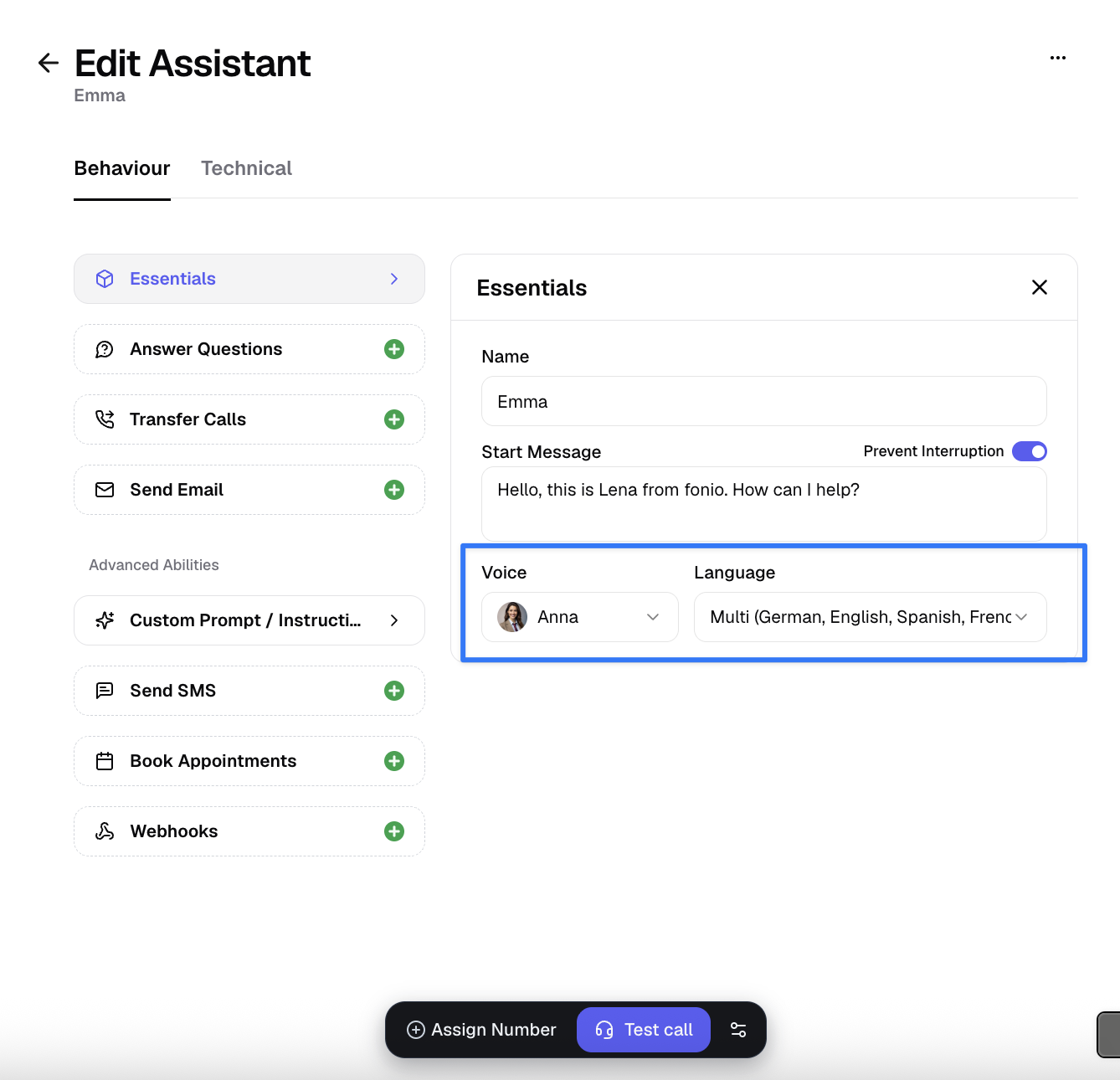
When you start creating a new assistant, you first select the voice and language. You can find these under the essentials.
Under Name, you can give your assistant a custom name so you can easily recognize it in your overview.
Multilingual Assistants
Your assistant is able to switch across multiple languages within the same conversations. To achieve this, your assistant need to have a "Multi" voice and the language needs to be on multi too.
If the Multi language option appears grayed out despite selecting a multilingual voice, this indicates that the Deepgram speech‑to‑text provider is not enabled on your account. Contact support to have Deepgram enabled for your account to access multilingual functionality.
Voice
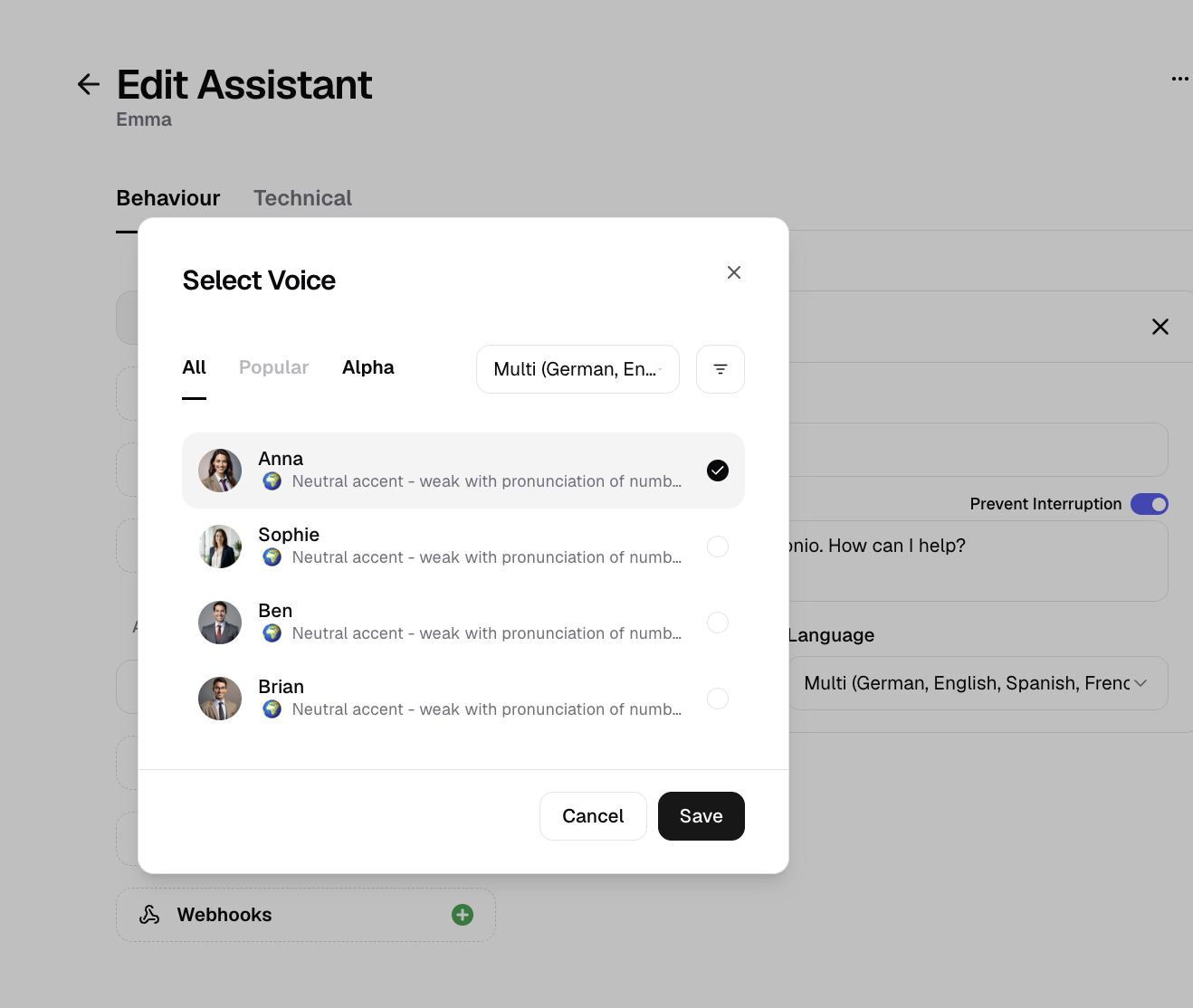
The voice determines how your callers perceive the assistant. We make a preselection here and always offer the latest and best AI voices directly on the platform. Any relevant notes are always listed directly next to the voice.
Voice and language must always match. Certain voices can only speak specific languages.
Example: The voice Marie speaks German (Austrian), so German must also be selected as the language.
By clicking on the voice, you can listen to a sample to help you decide which voice suits your assistant best.
Language
fonio was developed in Vienna and optimized from the start for German and English, so it works ideally in these two languages. Meanwhile, we support more than 35 languages.
When selecting the language, you can choose from over 35 supported languages. Alternatively, you can select the Multilingual option. Here, the assistant supports multiple languages simultaneously and intelligently decides which language to respond in.
Voice and language must always match. Certain voices can only speak specific languages.
Example: To create a multilingual assistant, a multilingual voice must be selected to ensure the assistant functions properly.
Supported Languages
Currently, we support the following languages (the list is continuously updated):
German (optimized)
English
Multi (German, English, Spanish, French, Russian, Portuguese, Italian, Dutch)
Swiss German
Spanish
French
Hindi
Russian
Portuguese
Japanese
Italian
Dutch
Bulgarian
Czech
Danish
Estonian
Finnish
Greek
Hungarian
Latvian
Lithuanian
Norwegian
Polish
Romanian
Slovak
Swedish
Turkish
Ukrainian
You are now ready to set the start message. All details can be found under Start Message.