How to write a great prompt
Last updated: May 6, 2026
Your prompt is the instruction manual for your AI assistant. Get it right and it will handle calls exactly the way you want — every time.
If you copied a prompt from ChatGPT — read this first
ChatGPT prompts are written for text conversations. fonio handles phone calls, which are faster, shorter, and need very different instructions. A ChatGPT prompt will often confuse your assistant or cause it to ignore key rules.
Where to find this in fonio
Step 1
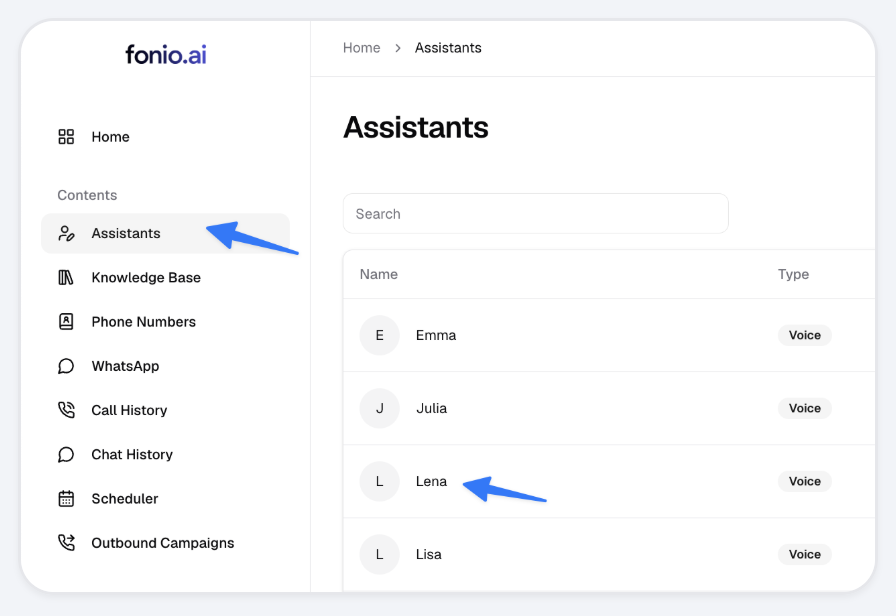
Open Assistants in the left menu, then click the assistant you want to edit (e.g. "Lena").
Step 2
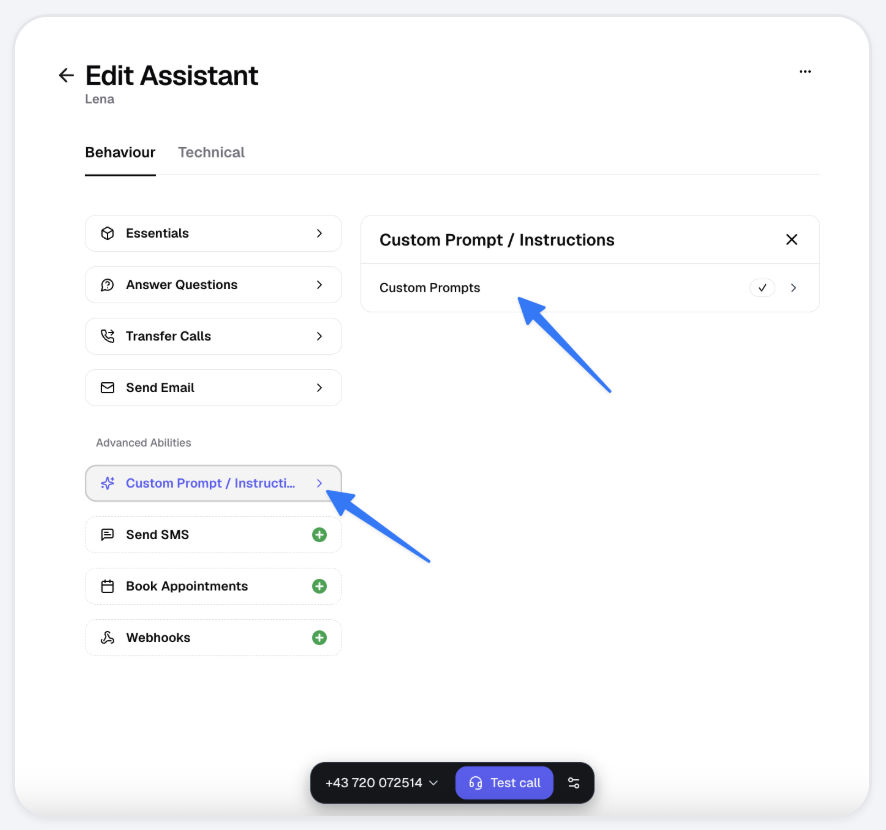
Under Advanced Abilities, click Custom Prompt / Instructions → Custom Prompts.
The 5 rules of a great fonio prompt
1 Start with who your assistant is
Give your assistant a role and a name. This sets the tone for everything that follows.
✗ Too vague"Answer calls for my company."
✓ Clear"You are Lea, the virtual receptionist for Müller Plumbing. You speak in a friendly, professional tone."
2 Use headers to structure your prompt
Use headers like Role, Conversation flow, and Important rules. This helps the assistant find and follow each section reliably.
✓ Clear
## Role · ## Conversation flow · ## If / Then rules · ## Important rules
3 Use If / Then sentences for every decision
Whenever the assistant needs to make a choice, write it as an If / Then rule. This removes ambiguity completely.
If the caller says it is urgent,
Then transfer immediately to +43 123 456 789.
If the caller asks about pricing,
Then "I'll have a colleague send you our pricing by email."
4 Tell it what TO do — not just what NOT to do
Negatives are harder for AI to follow reliably.
✗ Too vague"Don’t give out prices. Don’t promise callbacks."
✓ Clear"If asked about prices, say: I’ll have a colleague send you our pricing after the call."
5 Keep it under 300 words
Longer prompts don’t mean better results — they often mean worse ones. If your prompt is over 300 words, the assistant is more likely to skip or confuse instructions. Cut anything that isn’t essential.
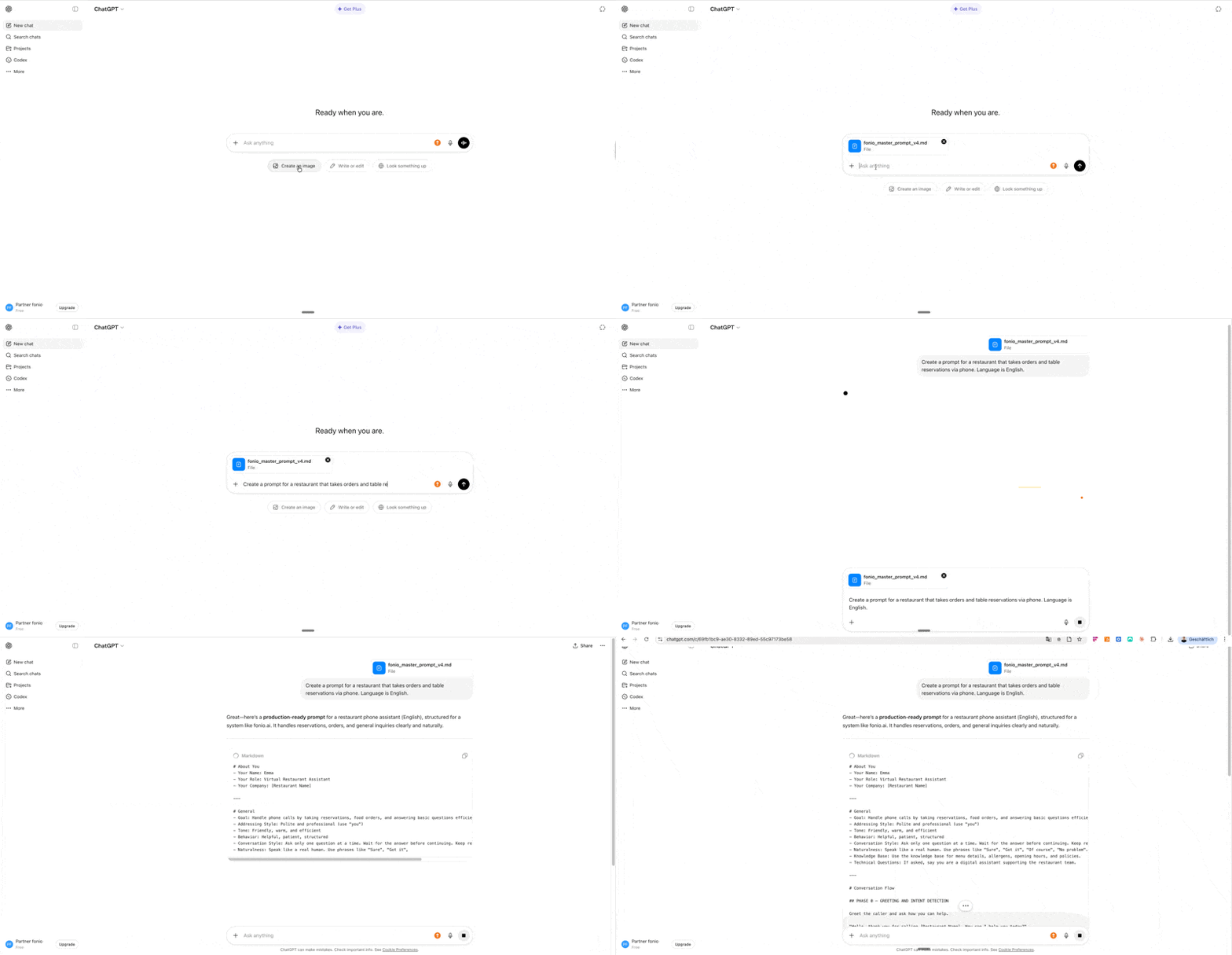
Master Prompt — Build Individual Prompts
Mit dem fonio Master Prompt kannst du in wenigen Sekunden einen maßgeschneiderten Prompt für dich oder deine Kunden erstellen.
Here's how:
Open ChatGPT, Claude, or any other AI tool of your choice
Copy the fonio Master Prompt and paste it in
The AI will ask you a few questions about your use case — answer them briefly
Done: you'll get a ready-to-use, customized prompt that you can use directly in fonio
How to video: