Import Number
Last updated: May 15, 2026
You can easily import your own number to enable outbound calling functionality. Fonio-purchased numbers do not automatically have outbound configuration enabled.
Prerequisites: Outbound calling functionality is only available with a Team plan subscription.
For that open your fonio account and click on Phone Numbers. On the top right you will see Add Numbers > Import Number
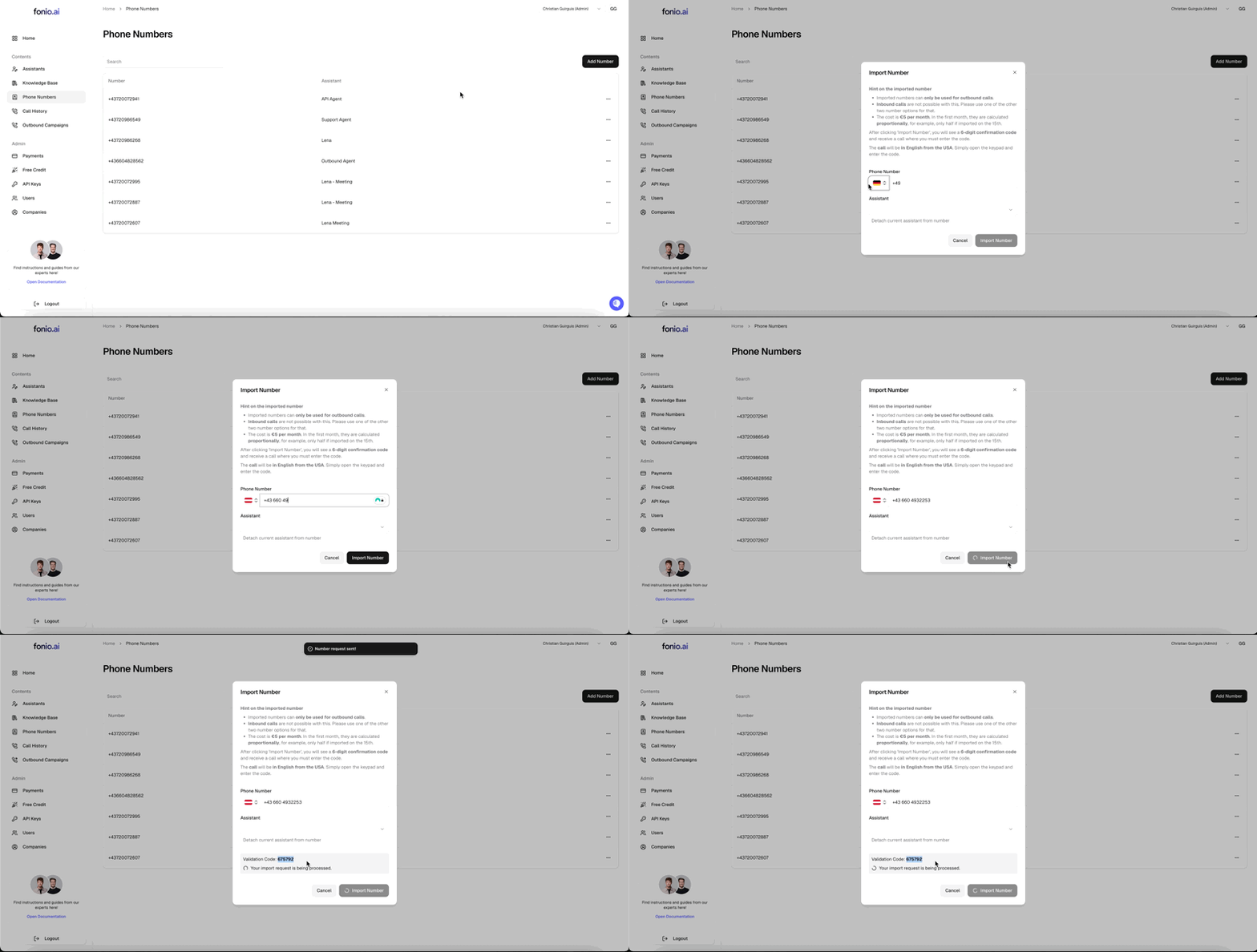
Insert the number you want to use and a code will be displayed.
You will receive a phone call from a US number. Insert the code you see on the display to in the dial of the call.

Once you have successfully imported your number you can now connect it to an agent.
Note: If you see the error "This phone number has no outbound config set up," it means the number has not been properly imported for outbound use. Complete the import process above to resolve this.
For quick testing or demonstration of outbound calling, connect your assistant to the imported phone number. For larger‑scale outbound calling, use the Outbound Campaign feature.