Individual Phone Numbers
Last updated: May 13, 2026
Individual phone numbers will no longer be assigned starting February 17, 2026. Instead, you can easily import an existing number into the platform.
How to Import and Assign a Phone Number
To use a phone number with your AI assistant, you'll need to import an existing number into the platform:
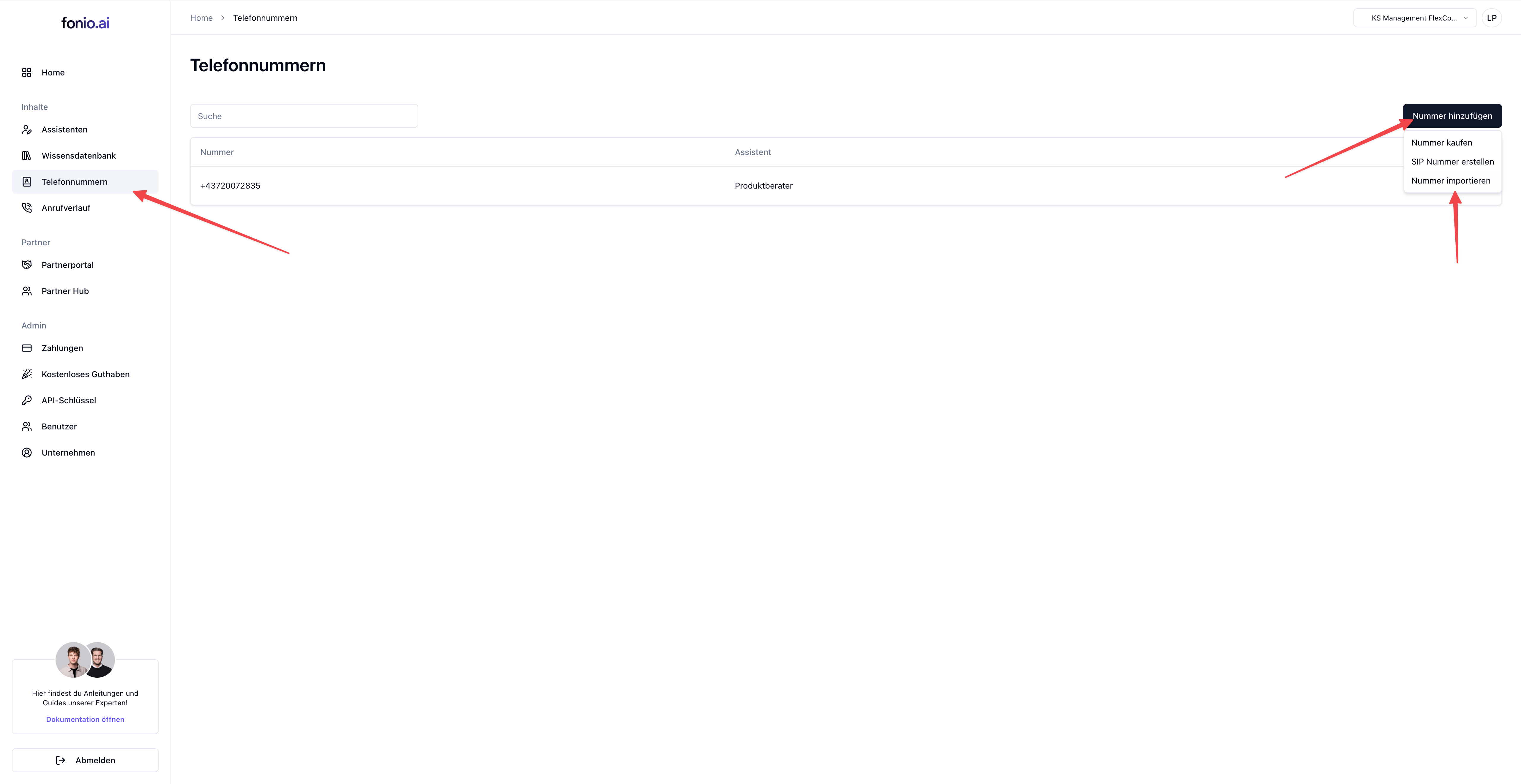
Navigate to Phone Numbers in your dashboard
Click Add Number and select the import option
Follow the prompts to import your existing number
Once imported, go to Assistants and open the assistant you want to configure
Click + Assign Number
Select whether this will be used for incoming calls, outgoing calls, or both
Choose your imported number from the list
Click Assign Number to complete the setup
Your assistant will now be reachable at the assigned number.
Note: Make sure to configure your forwarding rules and integrations before going live with your assistant.
Support
For questions or assistance, our team is available at
support@fonio.ai available.